Quick answer: The web design mistakes that kill conversions are the ones that add friction or doubt: a slow, cluttered homepage with no clear message, confusing navigation, weak or missing calls to action, a poor mobile experience, long forms, and no trust signals. Each one gives a ready-to-buy visitor a reason to leave. Fix them in order of impact and you convert more of the traffic you already have, without spending a cent more on ads.
Why design mistakes cost you sales, not just looks
A visitor decides whether to stay in a few seconds. If your site is slow, unclear, or hard to use, they leave, and you never find out why. These are not cosmetic problems. They are conversion problems: the gap between the traffic you pay for and the leads and sales you actually get. The good news is that most are fixable, and fixing them lifts results from the same traffic.
Below are the 12 mistakes that hurt conversions most, why each one costs you, and how to fix it.
The 6 biggest conversion killers
1. No clear message or hierarchy on the homepage
Why it kills conversions: if a visitor cannot tell what you offer and why it matters within the first few seconds, they leave. A homepage that shouts everything says nothing. The fix: lead with one clear headline that states what you do and the benefit. Make headlines two to three times larger than body text, give each section a single message, and use space to guide the eye toward your main call to action.
2. Confusing navigation
Why it kills conversions: if people cannot find what they want in a click or two, they give up. Hidden menus and vague labels stop visitors before they reach your product or checkout. The fix: keep primary navigation to five to seven clear items with familiar labels. Add a visible path to your key pages (contact, products, pricing). Use analytics and heatmaps to see where people actually get stuck.

3. Weak or missing calls to action
Why it kills conversions: traffic with no clear next step does not convert. Generic buttons like “Learn more” give people nothing to act on. The fix: use specific, action-led CTAs (“Book a free consultation”, “Get your free quote”). Make them stand out visually, and repeat them through the page, not just at the bottom. Test wording, colour, and placement.
4. A poor mobile experience
Why it kills conversions: more than half of web traffic is mobile, and Google indexes mobile-first. A site that is hard to use on a phone, with tiny text and fiddly buttons, loses those visitors immediately. The fix: design mobile-first. Check layouts, tap-target sizes, and speed on real devices, not just mockups. Make buttons large and forms short on mobile. See Core Web Vitals.
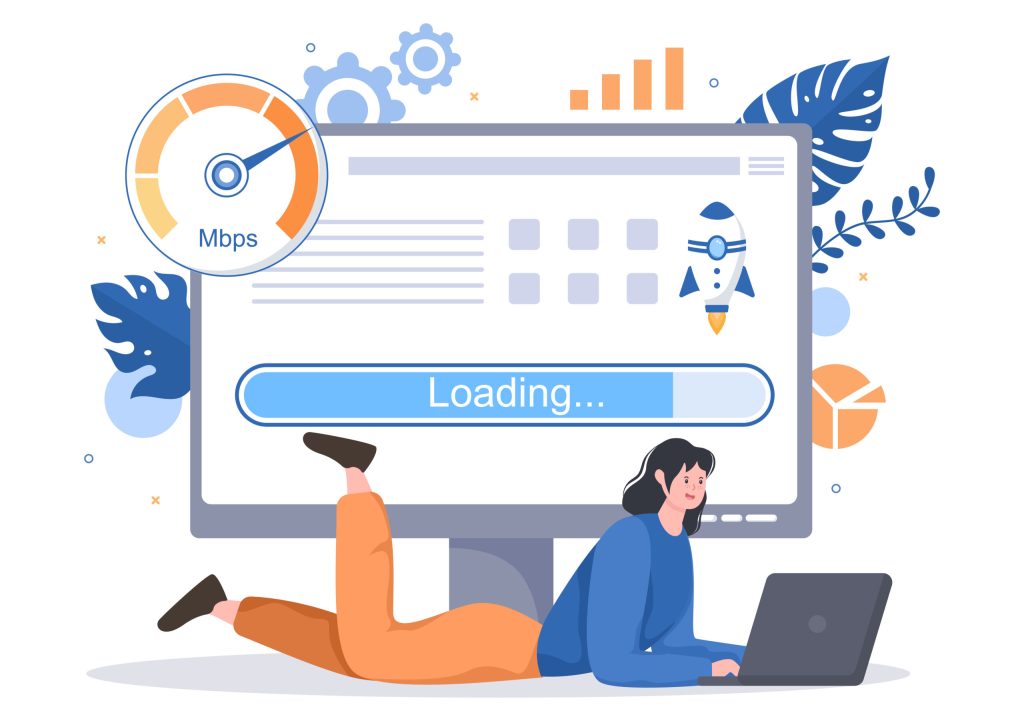
5. Slow page load speed
Why it kills conversions: every extra second of load time increases bounce and drops conversions, and Google factors speed into rankings. A slow site loses visitors before it even appears. The fix: compress and correctly size images, use caching and a CDN, and cut heavy scripts. Test with PageSpeed Insights or GTmetrix and fix the biggest offenders first. This is core to website performance.
6. Long or overwhelming forms
Why it kills conversions: every extra field is a reason to abandon, especially on mobile. Asking for too much, too soon, kills leads. The fix: ask only for what you need at this step. Group related fields, and use short or multi-step forms so the first ask feels easy. You can always gather more later.
6 more mistakes that quietly lose customers
7. No trust signals
Why it kills conversions: without proof, even good traffic hesitates. Missing reviews, dated design, and stock-looking imagery create doubt right before the decision. The fix: show testimonials, reviews, and case studies. Add security and payment badges on checkout, and display real client logos or media mentions where you have them.
8. Cluttered, overloaded design
Why it kills conversions: too many elements compete for attention and none win. Clutter hides your message and your CTA. The fix: simplify. Use white space, a clear visual order, and one primary action per page.
9. Unclear or self-focused copy
Why it kills conversions: copy about how great you are, full of jargon, does not tell visitors what they get. Confused readers do not buy. The fix: write in plain language about the customer’s problem and outcome. Lead with benefits, back them with specifics.
10. Missing or hard-to-find contact information
Why it kills conversions: if people cannot easily reach you or see how to buy, they leave. Hidden contact details read as untrustworthy. The fix: put contact options and a clear CTA where people expect them (header, footer, contact page). Make phone, WhatsApp, and form obvious.
11. Broken links, errors, and outdated content
Why it kills conversions: broken pages, old prices, and dead links break trust and stall the journey. The fix: check links and forms regularly, keep information current, and fix errors fast. This is part of ongoing website maintenance.
12. Ignoring accessibility
Why it kills conversions: if people with disabilities (a real share of your audience) cannot use your site, you lose them, and you risk compliance issues too. The fix: use good colour contrast, readable text, alt text, keyboard navigation, and clear labels. Accessible design is usable design for everyone.
How to fix these without a full rebuild
You rarely need to start over. Work in order of impact:
- Measure first. Use analytics and heatmaps to see where visitors drop off.
- Fix speed and mobile. These affect every visitor and your rankings.
- Sharpen the message and CTAs. Clear offer, obvious next step.
- Cut friction. Simplify navigation and forms.
- Add trust. Reviews, case studies, badges.
- Test and repeat. Small changes, measured, compound.
If the problems are deep, a focused website redesign fixes them together while protecting your SEO.
Frequently asked questions
What web design mistakes hurt conversions the most?
Usually an unclear homepage message, confusing navigation, weak or missing CTAs, poor mobile experience, slow load speed, and long forms. These add friction or doubt at the moment of decision.
How do I know if my website design is losing conversions?
Signs include high bounce rates, low time on page, drop-offs in forms or checkout, and traffic that does not turn into enquiries. Analytics and heatmaps show where people leave.
Can fixing design mistakes really increase sales?
Yes. Because these fixes remove friction for the traffic you already have, they often lift conversions without any extra ad spend.
Do I need a full redesign to fix them?
Not always. Many issues (speed, CTAs, forms, copy) can be fixed on the existing site. A redesign makes sense when problems are structural.
How does this relate to SEO?
Directly. Fast, mobile-friendly, well-structured sites both convert better and rank better, so conversion fixes and SEO reinforce each other.
The bottom line
The web design mistakes that kill conversions all come down to friction and doubt: an unclear message, hard navigation, weak CTAs, a poor mobile experience, slow speed, long forms, and no proof. Fix them in order of impact and you turn more of your existing traffic into customers. That is usually the cheapest growth you can buy.
Want a website that turns visitors into customers? Talk to MediaPlus Digital about web design and development in Malaysia or a conversion-focused redesign, and claim a free RM300 consultation.