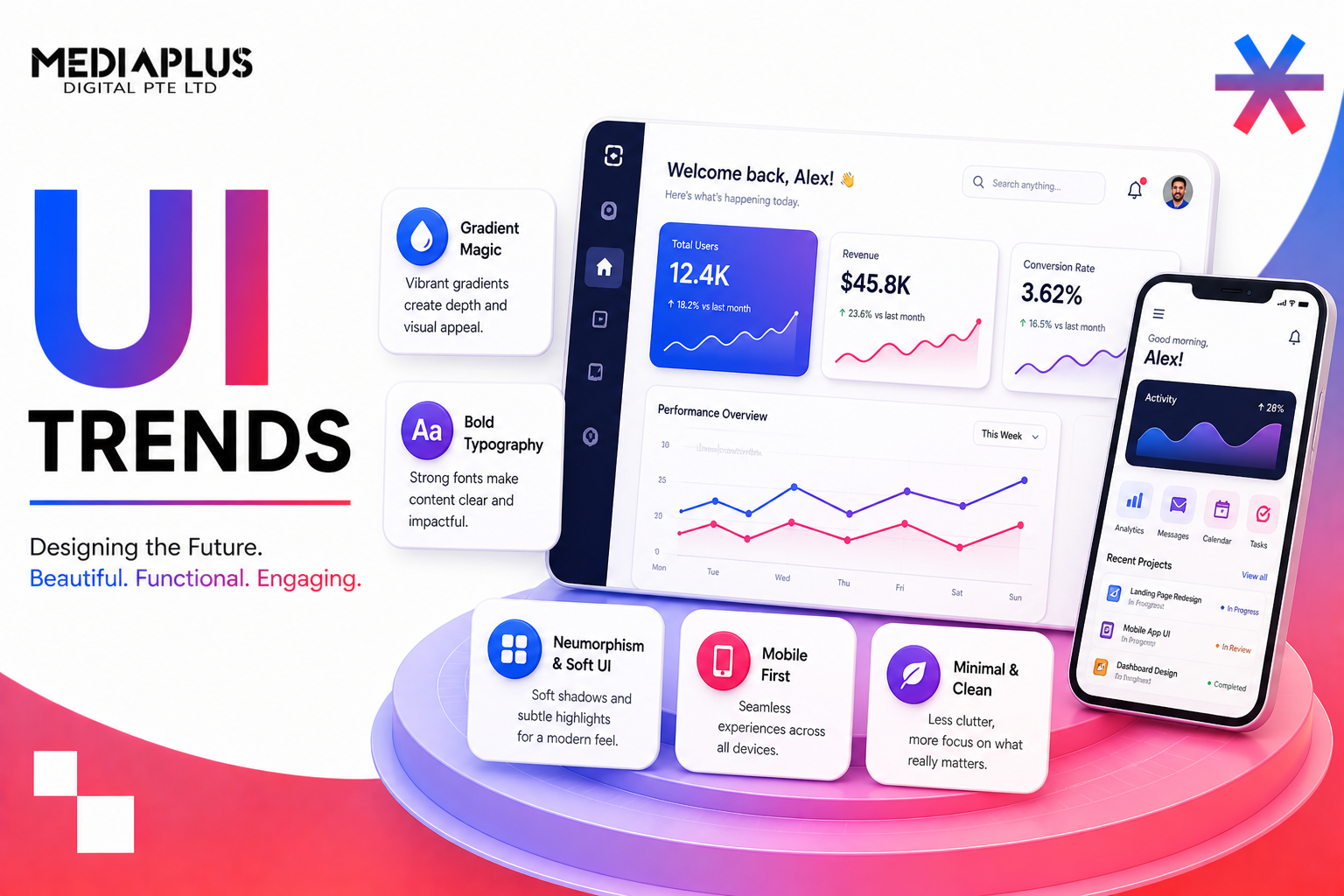
Every year a fresh batch of UI trends lands, and every year plenty of teams copy them straight into a redesign without asking whether they fit. That is the trap. A trend is only useful when it solves a real problem for your users, and a good chunk of what circulates on design blogs is there to look impressive in a portfolio, not to help someone book a service or check out faster.
So treat this as a menu, not a checklist. Below are the twelve UI trends shaping web and app design in 2026, what each one actually is, why it works when it works, and the moment it makes sense to reach for it. Near the end there is a short section on how to decide which of these belong on your own site, because the honest answer is usually three or four of them, not all twelve.
A quick note on what UI design is
User interface (UI) design is the visual and interactive layer people touch: the buttons, type, colour, spacing, motion, and layout that make up a screen. It sits next to UX (user experience), which is the underlying flow and logic. You can have a beautiful UI on top of a confusing experience, and it will still frustrate people. The best interfaces get both right, which is why most of the trends below only pay off when the structure beneath them is already sound.
12 UI trends you should know
1. AI-driven and adaptive UI
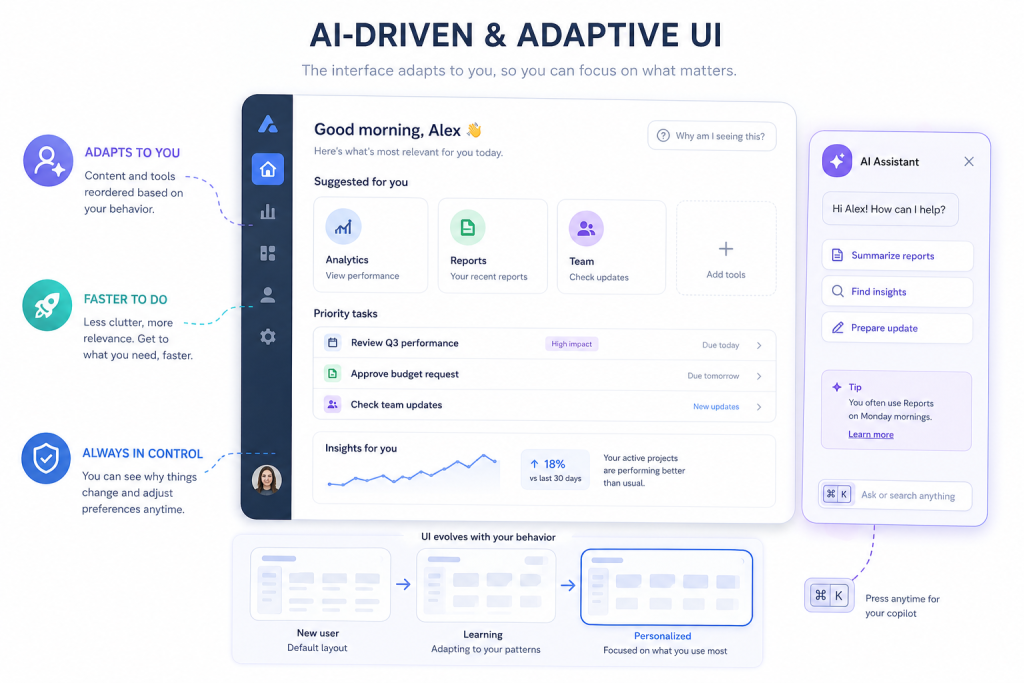
What it is: interfaces that reshape themselves around the person using them. That can mean content reordered by past behaviour, a dashboard that surfaces the tools you reach for most, or an assistant tucked behind a keyboard shortcut rather than shoved in your face.
Why it works: personalisation cuts the distance between arriving and doing. When the interface quietly removes clutter that a given user never touches, tasks get faster and drop-off falls.
When to use it: product apps, dashboards, and content-heavy sites with enough usage data to personalise sensibly. Keep the AI backgrounded. A calm copilot beats a loud autopilot, and users should always be able to see why something changed.
2. Bold, expressive typography
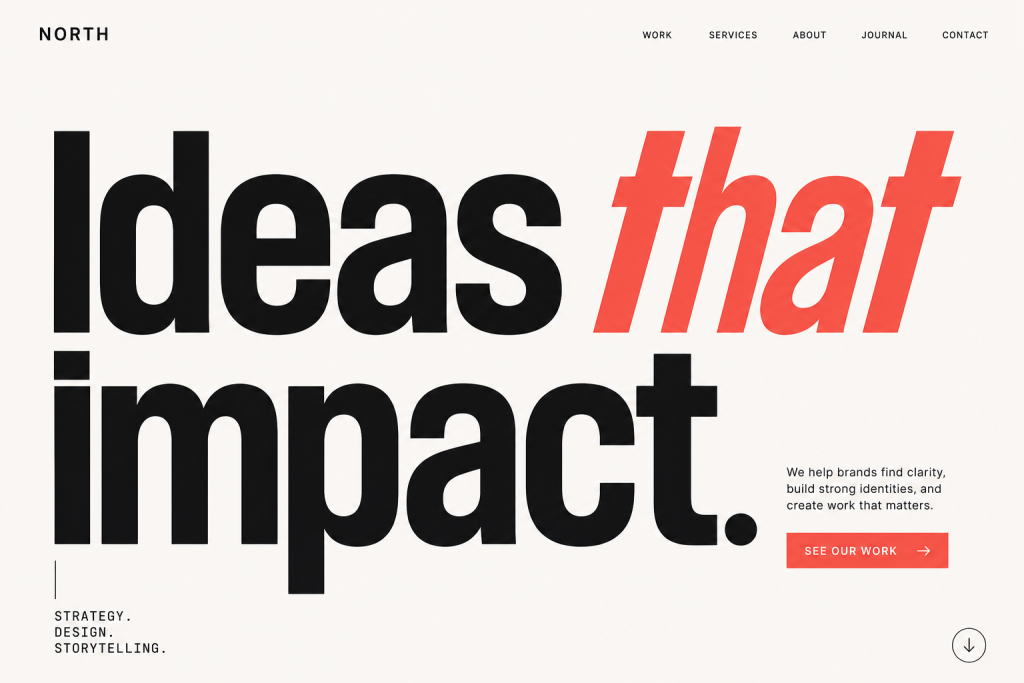
What it is: large, confident type carrying the hero section instead of a stock photo. Variable fonts make this practical by packing many weights and widths into one file, so a headline can shift size and weight across screens without a load penalty.
Why it works: type communicates instantly and loads fast. A strong typographic hero reads as intentional and on-brand, and it sidesteps the generic feel of yet another smiling-team image.
When to use it: brand sites, landing pages, editorial, and anywhere the message matters more than a picture. Pair it with real hierarchy so the eye knows where to go first.
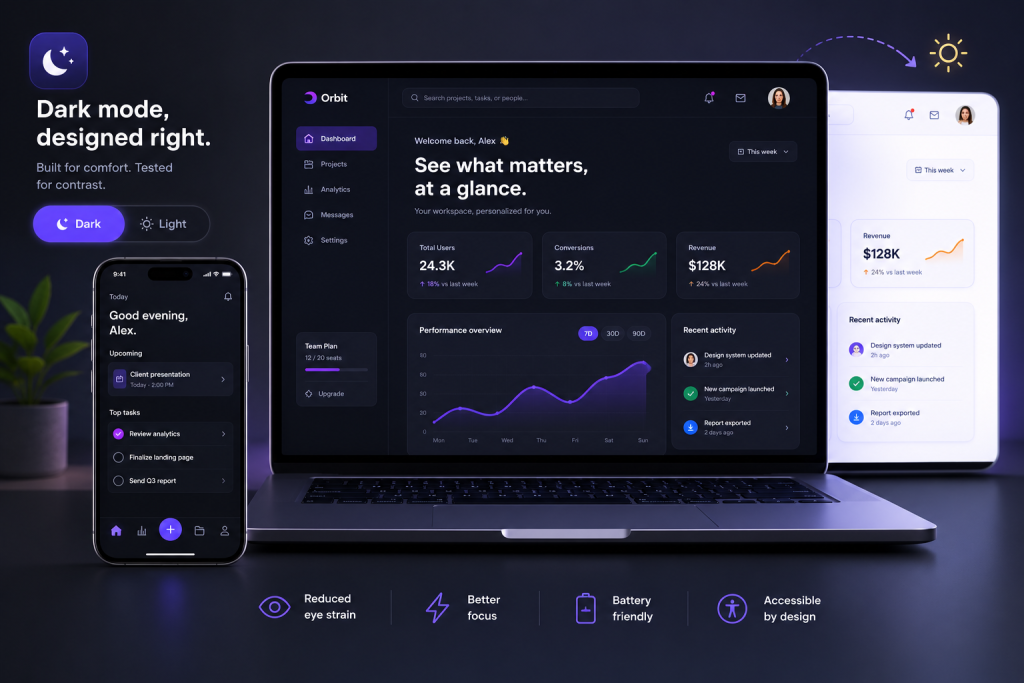
3. Dark mode as a default expectation
What it is: a properly designed dark theme, not an inverted light one. That means adjusted contrast, softened pure-white text, and colour that still passes accessibility checks on a dark ground.
Why it works: people expect the option. A Google user study cited widely across design reports found around 81.9% of users enable dark mode when they can, and many now expect a site to respect their system setting automatically.
When to use it: apps used for long stretches, developer and finance tools, media, and anything used at night. Offer it as a genuine choice rather than forcing it, and test both themes for contrast.
4. Motion and micro-interactions
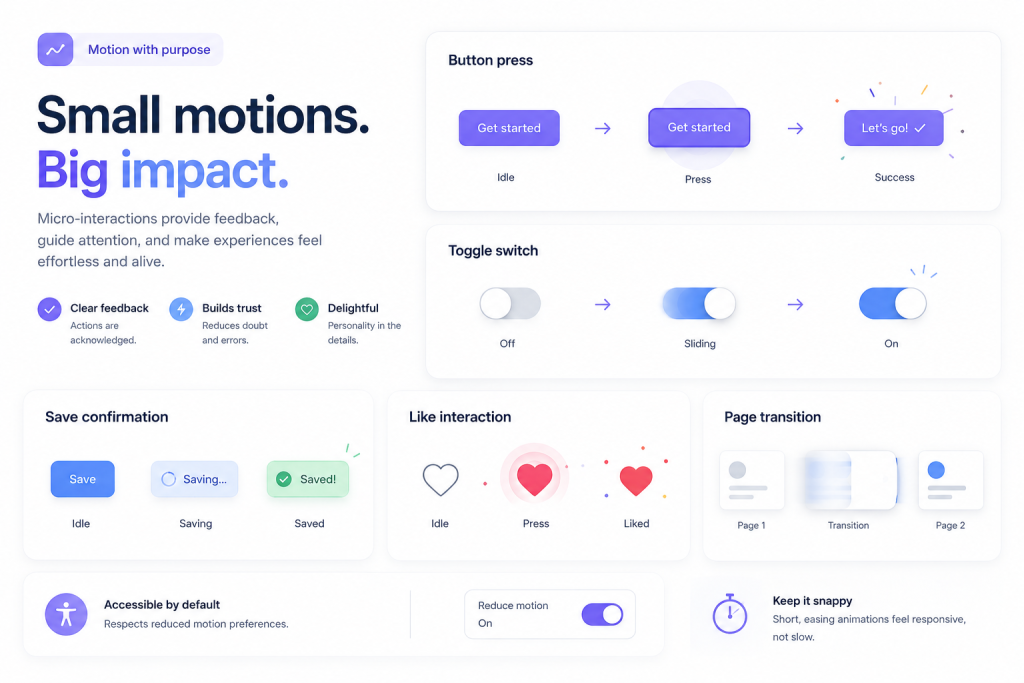
What it is: small, purposeful animation. A button that responds to a press, a toggle that slides, a subtle confirmation when a form saves. Motion here is feedback, not decoration.
Why it works: micro-interactions tell people their action registered, which reduces uncertainty and the second-guessing that leads to abandoned tasks. Motion also carries brand personality, from slow and premium to snappy and energetic.
When to use it: almost everywhere, in moderation. Confirmations, state changes, and transitions between views are the natural homes. Respect reduced-motion settings and keep durations short so nothing feels sluggish.
5. Bento grids
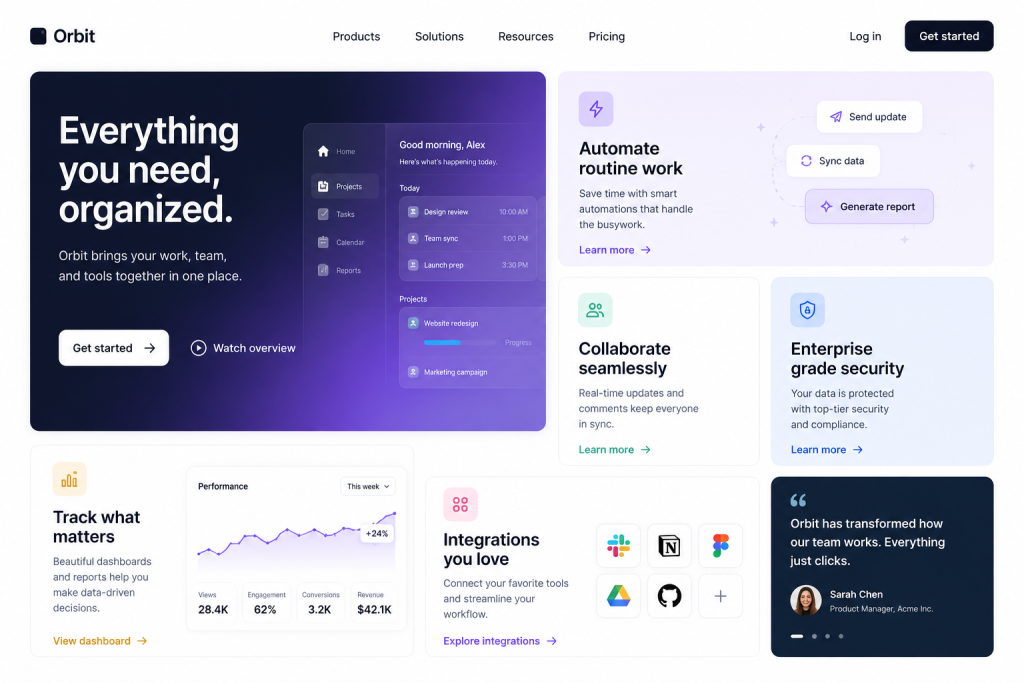
What it is: a modular layout of tidy blocks in different sizes, like a bento box. Big feature tiles sit beside smaller supporting ones in an asymmetric but balanced grid.
Why it works: it organises a lot of information without feeling like a wall. Apple, Microsoft, Samsung, and Google all lean on bento layouts, which has trained people to scan them quickly. Each tile is also a natural, self-contained unit for responsive design.
When to use it: feature overviews, product pages, pricing, and dashboards where you need to show several things at once. It works less well for linear, story-led pages that want a single reading path.
6. Neo-brutalism
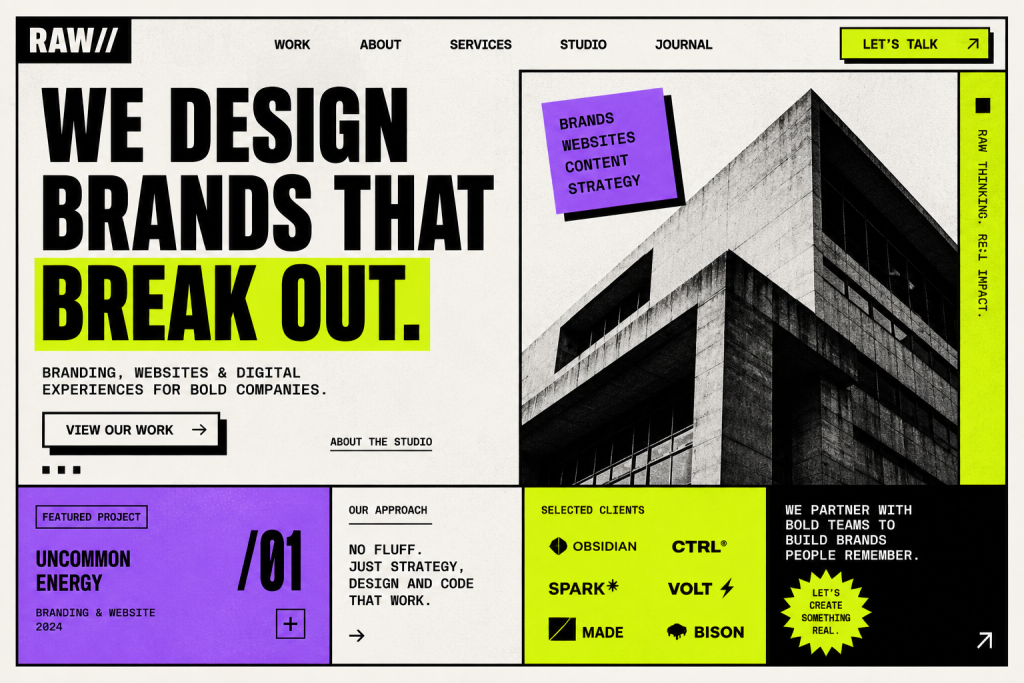
What it is: a raw, high-contrast look with hard edges, heavy borders, exposed structure, and loud colour. It rejects the soft, rounded sameness that has dominated for years.
Why it works: in a sea of near-identical SaaS sites, brutalism stands out and reads as confident and a little rebellious. Handled well, it feels distinctive rather than broken.
When to use it: creative studios, youth and culture brands, portfolios, and products that want to signal they are not like the others. Skip it for anything where trust and calm matter more than personality, such as healthcare or finance.
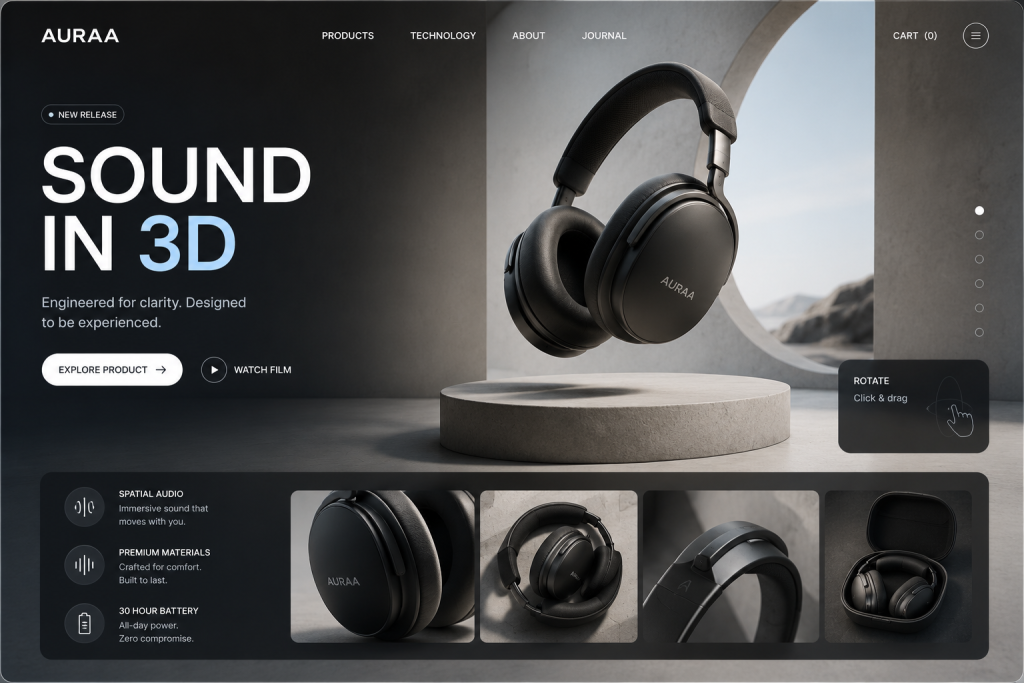
7. 3D and immersive elements
What it is: three-dimensional objects, depth, and scroll-driven scenes that let people rotate a product or move through a space. Web tooling has made this smoother to build and lighter to run than it was a few years ago.
Why it works: 3D lets someone examine a product the way they would in person, which builds confidence before purchase. Done with restraint, it makes a page feel crafted.
When to use it: ecommerce with physical products, launches, and portfolios. Watch performance closely. A heavy 3D scene that stalls on a mid-range phone costs you more visitors than it wins.
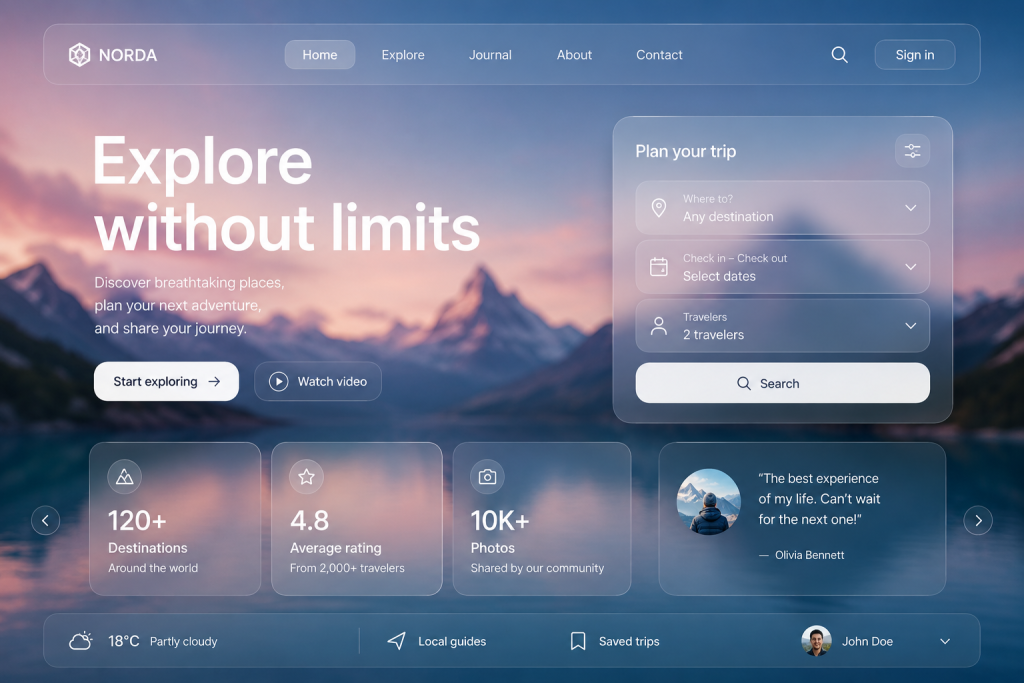
8. Glassmorphism and layered depth
What it is: frosted, translucent panels that show a blurred hint of what sits behind them, creating a sense of stacked layers. The 2026 version is subtle, influenced by Apple’s spatial and “liquid glass” look, and far lighter than the heavy blur of a few years back.
Why it works: gentle depth guides attention and separates foreground from background without hard lines or drop shadows everywhere. It feels current and tactile.
When to use it: overlays, cards, navigation bars, and modals. Contrast is the catch. Text on glass has to stay readable, so test it against busy backgrounds before you ship.
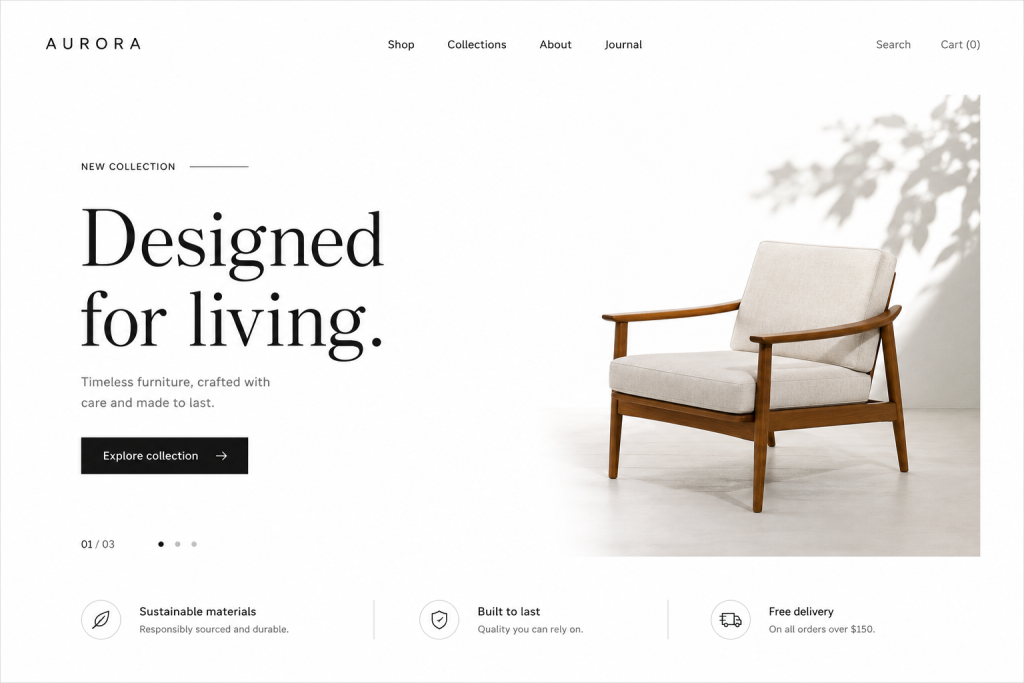
9. Minimalism and generous whitespace
What it is: stripping a screen back to what earns its place, with room to breathe around each element. Fewer choices, clearer hierarchy, less noise.
Why it works: whitespace reduces cognitive load, so people find the one thing they came for faster. It also makes whatever remains, a headline or a call to action, land harder.
When to use it: almost any conversion-focused page benefits, and it pairs naturally with conversion rate optimisation work where every removed distraction can lift the result. Just do not confuse empty with minimal. Minimalism is editing, not deleting.
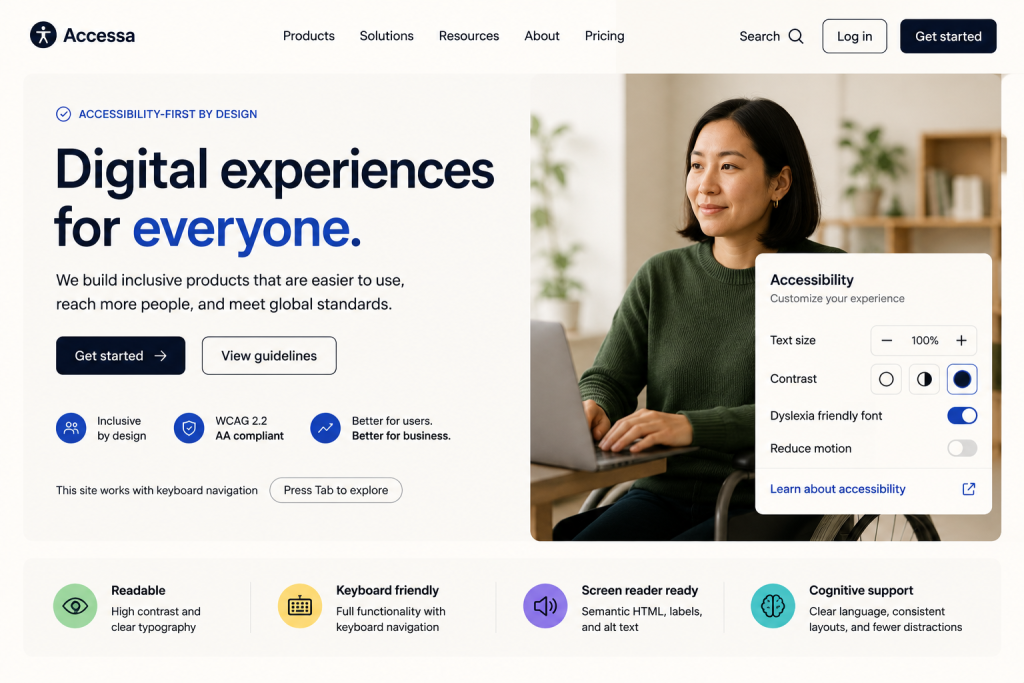
10. Accessibility-first design
What it is: designing for varied vision, motor ability, and cognition from the start, rather than patching it on at the end. Proper contrast, clear focus states, keyboard navigation, real alt text, and readable type.
Why it works: it widens your audience and lowers legal risk, and the same choices tend to help everyone. The gap is huge: the WebAIM Million 2025 report found that 95.9% of the top one million homepages failed basic WCAG standards, with low-contrast text on 79.1% of them. Getting this right is a genuine edge.
When to use it: always. Accessibility is infrastructure, not a feature, and it overlaps heavily with the performance and clarity that search engines reward.
11. Dopamine colour and natural palettes
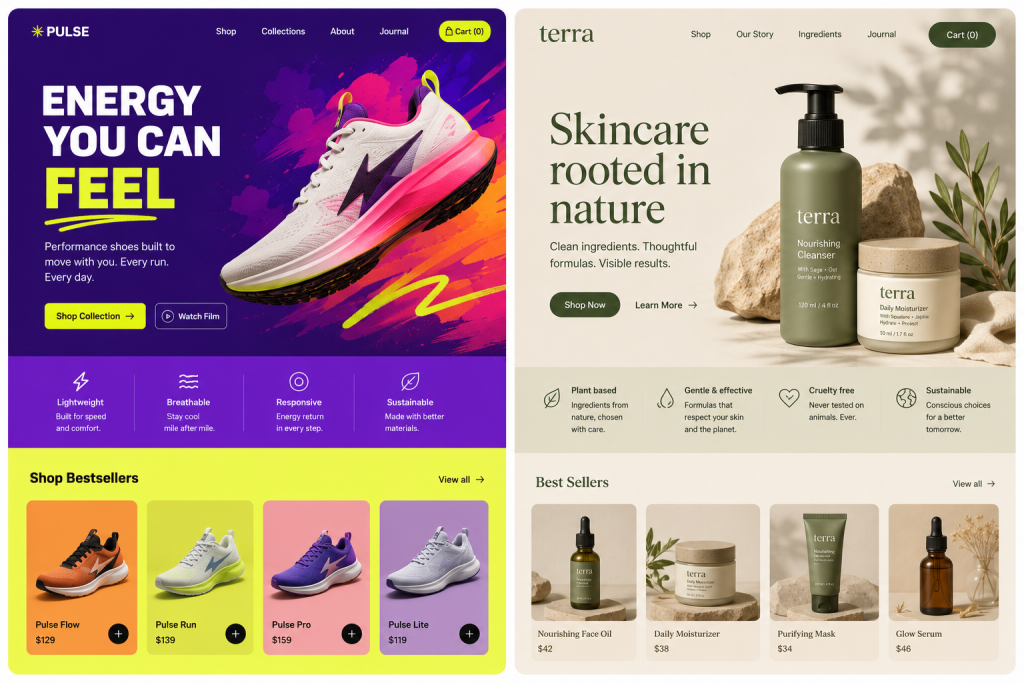
What it is: two threads pulling in opposite directions. On one side, bright, saturated, mood-lifting colour after years of muted greys. On the other, earthy, natural palettes of clay, sage, and stone that feel grounded and calm.
Why it works: vivid colour grabs attention and sparks emotion, which suits brands that want energy. Natural tones signal warmth and trust. Both beat the flat, safe neutrals that made so many sites blur together.
When to use it: dopamine colour for consumer, lifestyle, and youth brands; natural palettes for wellness, food, craft, and sustainability. Whichever you pick, check contrast so the colour never costs you readability.
12. Voice and conversational UI
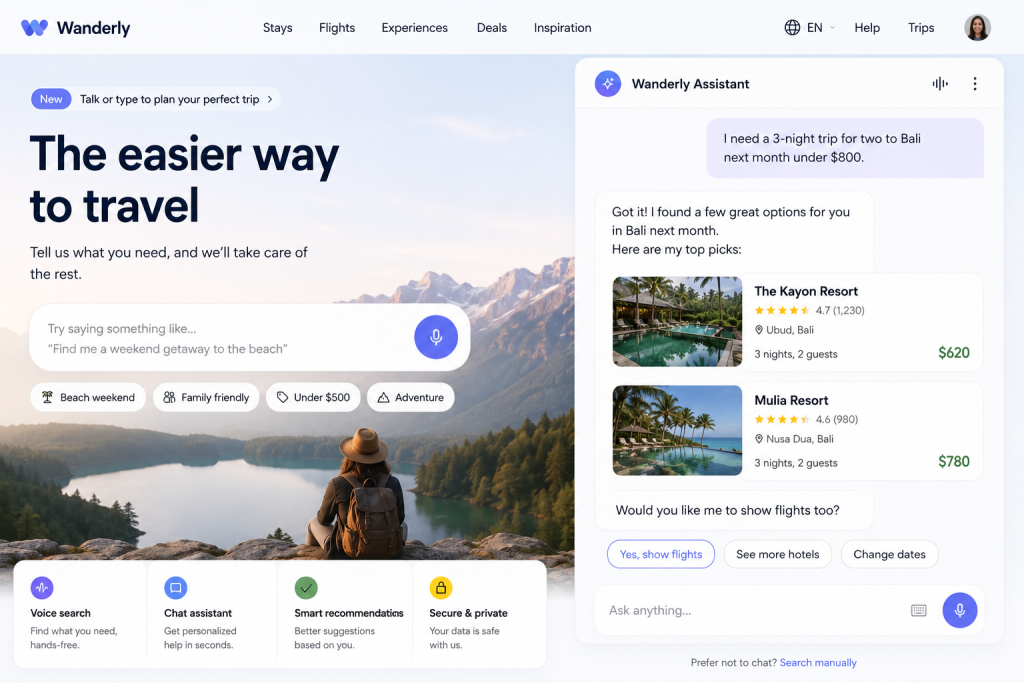
What it is: interfaces you talk or type to in plain language, from voice search to chat-style assistants that walk someone through a task instead of making them hunt through menus.
Why it works: conversation is how people naturally ask for things, and it removes steps for anyone who finds forms and navigation tedious. It also opens your product to hands-free and low-vision use.
When to use it: support, search, booking, and complex catalogues where a guided chat beats a long form. Keep a visible fallback. Not everyone wants to talk, and a conversational layer should sit beside a normal interface, not replace it.
Which trends actually matter for your business
Here is the part most trend lists skip. You do not need all twelve, and chasing every one will leave your site looking like a moodboard with no point of view.
Start from your goal, not the trend. If you sell to other businesses, calm typography, a bento layout, and quiet AI assistance tend to build more trust than loud colour and 3D. If you sell to consumers, expressive type, vibrant colour, and a little motion usually pull more weight. An ecommerce catalogue may earn its keep with 3D product views, while a lead-generation site is better served by minimalism, sharp accessibility, and fast load times.
Two trends belong on almost every list regardless of sector: accessibility and performance. They are not aesthetic choices, they are the floor. A gorgeous interface that fails contrast checks or takes five seconds to load will lose more people than any trend can win back.
And remember that trends age. A thoughtful redesign every three or four years, with lighter iterative updates in between, keeps a site current without the churn of rebuilding around each new fad. If you are running on a flexible platform like WordPress, you can usually roll in individual updates without starting from scratch.
FAQ
Are UI trends worth following at all?
Selectively, yes. Ignoring them completely can leave a site feeling dated, but adopting every one makes you look like everyone else. Pick the few that serve your users and your goal, and skip the rest.
Do UI trends affect SEO?
Indirectly but really. Trends tied to performance, accessibility, and clear structure line up with signals Google already rewards, so faster, more usable interfaces tend to help rankings. Purely decorative trends that slow a page down can hurt them.
How often should I redesign my website?
A meaningful overhaul every three to four years is a reasonable rhythm for most businesses, with smaller iterative tweaks along the way. Redesign when your goals, brand, or the underlying experience have genuinely moved on, not just because a new look is trending.
Which UI trends suit Malaysian businesses specifically?
The same judgement applies as anywhere: match the trend to your audience. B2C brands here do well with bold colour, expressive type, and mobile-first motion, while B2B and professional services usually benefit from calm typography, bento layouts, and strong accessibility.
Will AI replace UI designers?
No. AI speeds up first drafts, layout variations, and routine checks, which frees designers to focus on strategy, brand, and the judgement calls a model cannot make. The tools change; the need for someone deciding what to build does not.
Bringing it together
The through-line for 2026 is restraint. Interfaces are getting calmer, more adaptive, and more considerate of the people using them, and the flashy-for-its-own-sake era is fading. The teams that win are not the ones adopting the most trends. They are the ones choosing the two or three that fit their audience and executing them well, on a foundation that is accessible and fast.
If you are weighing a refresh and want an outside read on which of these directions actually fit your site, our team at MediaPlus Digital is happy to look. We offer a free RM300 website review that covers design, usability, and performance, so you get concrete pointers before committing to anything. Get in touch whenever you are ready.