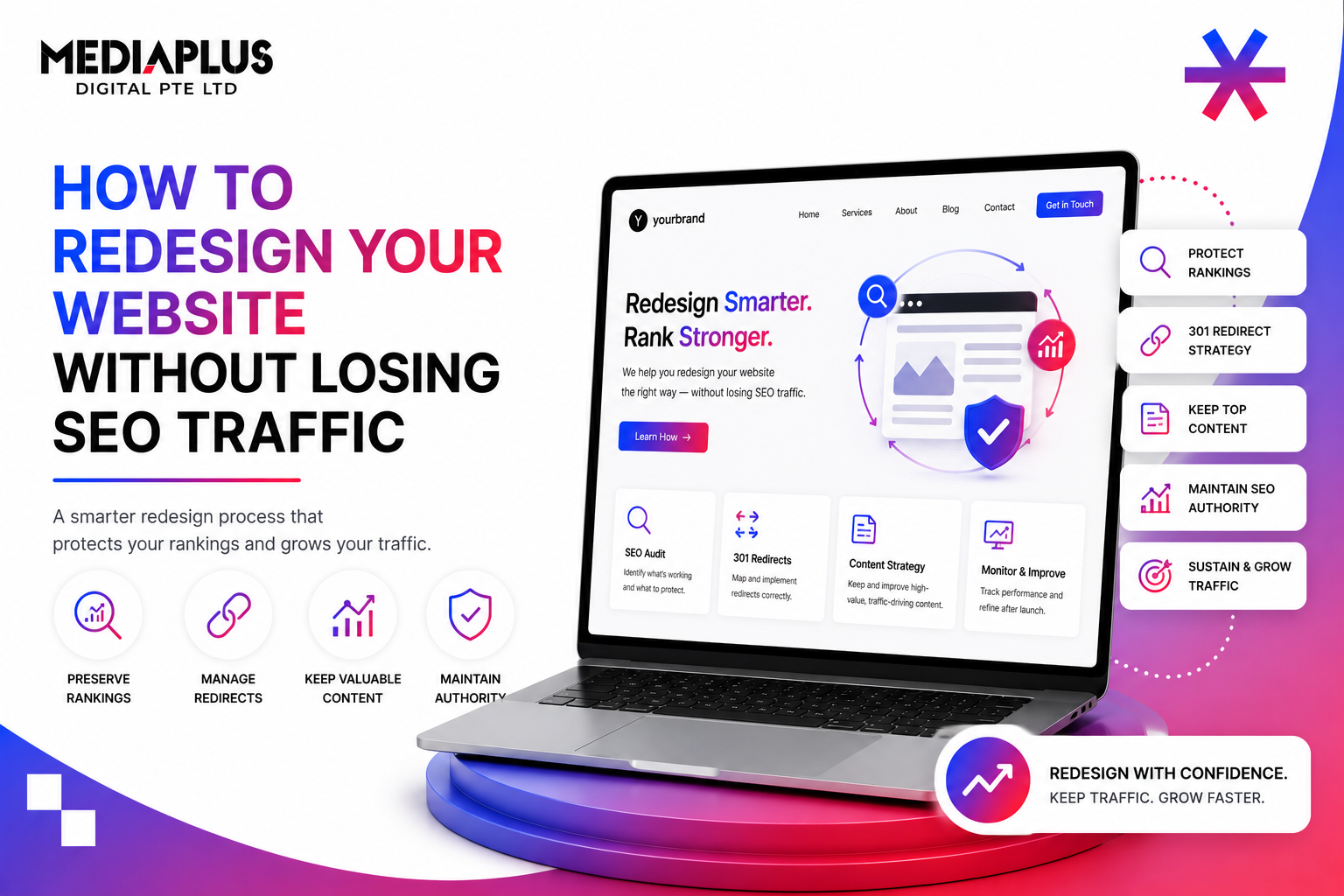
A redesign should grow your traffic, not bury it. Yet many businesses relaunch a beautiful new site and watch their organic rankings collapse, because the SEO equity built over years was not carried across. This guide is the step-by-step checklist to redesign without losing SEO.
Pair it with our Website Redesign Checklist for the broader project view.
Why redesigns lose rankings
Rankings drop during a redesign for predictable reasons: URLs change without redirects, content and metadata get stripped, page speed regresses, or the new site is accidentally left blocked from indexing. Every one of these is avoidable with the steps below.
How to Redesign a Website Without Losing SEO Rankings
Phase 1: Before you touch anything
You cannot protect what you have not measured.
- Crawl the current site with a tool like Screaming Frog. Export every URL, status code, internal link, and metadata.
- Benchmark performance from Google Analytics 4 and Search Console: organic sessions, impressions, clicks, CTR, keyword rankings, top-performing pages, and conversions.
- Identify your high-value pages: the URLs that earn the most traffic, rankings, and backlinks. These get protected first.
- Back up everything, including a full copy of the old site and your crawl and analytics exports.
Save this as your baseline. You will compare against it after launch.
Phase 2: Architecture and URL strategy
- Design the new information architecture with logical structure, breadcrumbs, and an internal linking plan. See Content Cluster Strategy.
- Keep existing URLs wherever possible. Only change a URL when there is a clear reason.
- Map every page in the new structure so nothing high-value is orphaned or dropped by accident.
Phase 3: Build the 301 redirect map
This is the single most important step for preserving rankings.
- Map every old URL to its closest matching new URL.
- Use 301 (permanent) redirects for moved pages, never 302. Keep 200 status for unchanged URLs, and 404 or 410 for pages you intentionally remove.
- Do not mass-redirect everything to the homepage. Google treats those as soft 404s and rankings vanish.
- Avoid redirect chains and loops. Prioritise pages that have existing backlinks, since those carry the most authority. See What Is a Backlink.
|
Situation |
Correct action |
|
Page moved to a new URL |
301 redirect old to new |
|
Page unchanged |
Keep the same URL, 200 status |
|
Page removed permanently |
404 or 410 |
|
Several old pages merged |
301 each to the best single new page |
Phase 4: Preserve on-page SEO
Carry these across to the new pages, do not let the rebuild wipe them:
- Meta titles and meta descriptions
- One unique H1 per page
- Heading structure and body content (keep the depth, do not thin it out)
- Image alt text and descriptive filenames
For a refresher on these elements, see What Is On-Page SEO.
Phase 5: Technical SEO on the new build
- Make the site responsive and mobile-first
- Optimise page speed and Core Web Vitals: compress assets, enable caching, minify code. See Core Web Vitals and What Is Technical SEO
- Add structured data, set canonical tags, and verify hreflang if the site is multilingual
- For Malaysian sites, keep your .com.my or .my URLs and any local citations consistent so Google.com.my local rankings hold
Phase 6: Staging and pre-launch QA
Build on a staging environment that search engines cannot index, then verify before going live.
- Block staging from indexing with noindex, a robots block, or a password
- Crawl staging and confirm: correct HTTP statuses, internal links pointing to live 200 pages (not redirects), metadata intact, JavaScript rendering for Googlebot, and analytics tags present
- Run a full stakeholder review
Phase 7: Launch day
- Remove the noindex or robots block so the production site can be crawled. Forgetting this is the most common catastrophic mistake.
- Submit the updated XML sitemap to Google Search Console and Bing Webmaster Tools
- Add an analytics annotation to mark the launch for before-and-after comparison
- Crawl the live site and confirm indexing with a site: search
Our Website Launch Checklist for Malaysia covers the wider launch steps.
Phase 8: Post-launch monitoring
Watch closely for the first 14 to 30 days.
- Check Search Console for indexing errors and spikes in 404 or 5xx errors
- Track rankings, impressions, clicks, traffic, and conversions against your baseline
- Expect a temporary dip of roughly 10 to 20% for a few weeks as Google recrawls and revalues the site
- A drop of 50% or more, or no recovery after a month, signals a redirect or technical error to debug immediately
Common mistakes to avoid
- Launching without a redirect map
- Redirecting all old pages to the homepage
- Leaving the staging noindex tag on the live site
- Changing URLs with no reason
- Thinning out content that used to rank
- Ignoring page speed on the new design. See Common Web Design Mistakes
FAQ
Will a website redesign hurt my SEO?
It can, if URLs, redirects, content, or indexing are mishandled. Done with the checklist above, a redesign protects rankings and often improves them.
How long does traffic take to recover after a redesign?
Expect some volatility for two to four weeks. A normal temporary dip is around 10 to 20%. If you are still down 50% or more after a month, there is likely a technical fault.
301 or 302, which redirect should I use?
Use 301 for permanent moves, which passes ranking signals. Use 302 only for genuinely temporary changes.
Should I keep my old URLs or change them?
Keep them whenever possible. Only change a URL when there is a clear structural reason, and always 301 the old one.
Do I need to resubmit my sitemap after relaunch?
Yes. Submit the updated XML sitemap in Google Search Console so Google discovers the new structure quickly.
Can I redirect deleted pages to the homepage?
Avoid it. Redirect to the most relevant equivalent page, or return a 404 or 410 if there is no match. Mass homepage redirects are treated as soft 404s.
Redesign with your rankings intact
A redesign is a chance to grow, not a gamble with your traffic. The difference is process: measure first, map redirects, preserve on-page and technical SEO, and monitor after launch.
MediaPlus Digital handles redesigns through combined web design and development and SEO services in Malaysia, so your new site looks better and keeps ranking. Contact us before you relaunch.