Quick answer: Website security is the set of measures that protect your website, its server, its data, and its users from cyber threats like hacking, malware, and data breaches. In practice it means an SSL certificate (HTTPS), keeping software updated, strong logins with two-factor authentication, a firewall, regular backups, and monitoring. Good website security keeps your site online, protects customer data, and preserves the trust and rankings a hacked site destroys.
What is website security?
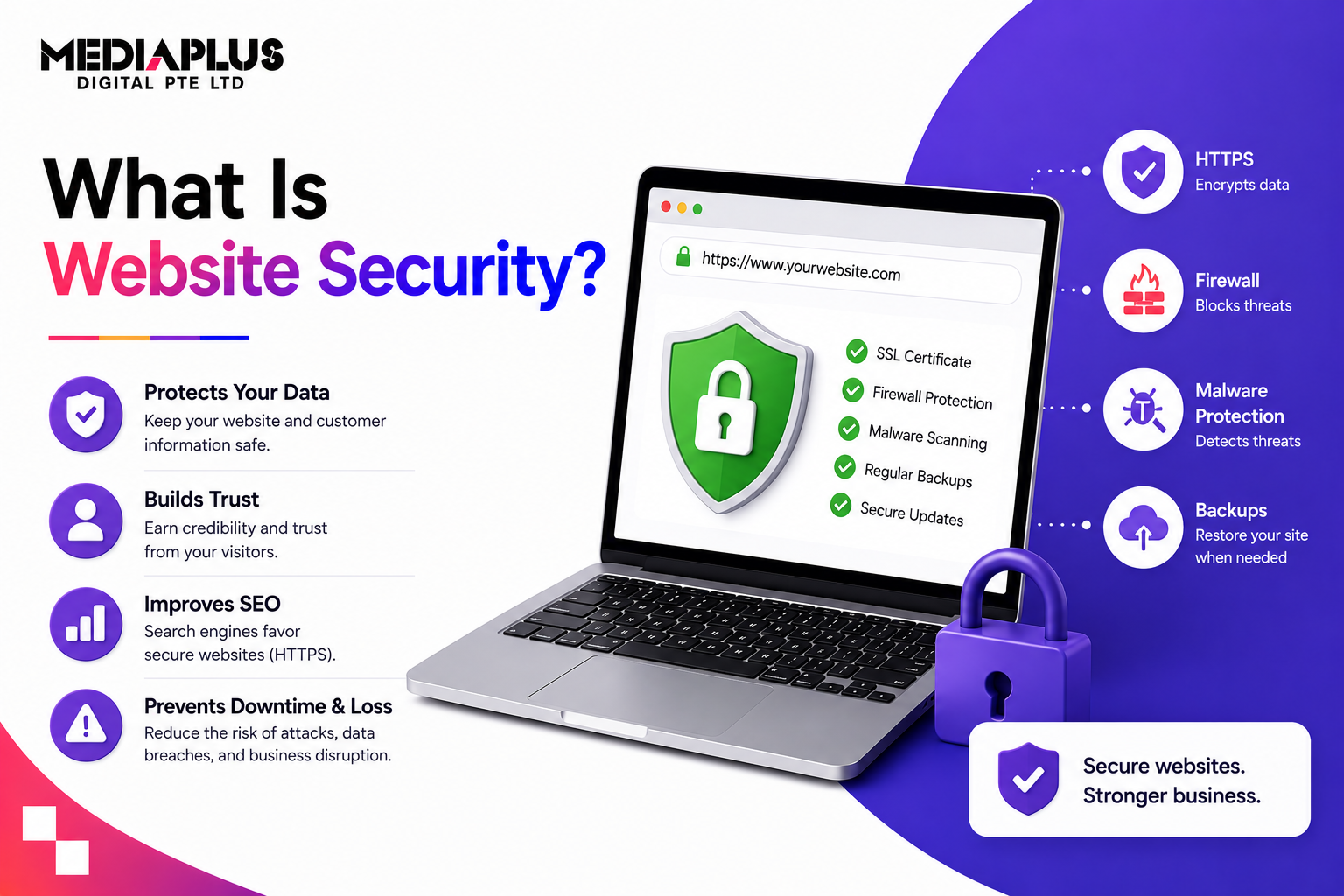
Website security is the practice of safeguarding your website, server, data, and visitors from malicious activity. It covers everything that keeps a site safe: encrypting data, controlling who can log in, patching vulnerabilities, filtering bad traffic, and being able to recover if something goes wrong.
Think of it as locking the doors, fitting an alarm, and keeping a spare key somewhere safe, all for your website. It is not one product; it is a layered set of habits and tools working together.
Why website security matters
A hacked or insecure website is not just a technical problem, it is a business one. Good security:
- Protects customer data (names, emails, payment details) and your reputation.
- Prevents downtime. A hack or attack can take your site offline, costing sales and trust.
- Preserves trust. Browsers flag “Not Secure” sites, and a hacked site scares customers away instantly.
- Protects rankings. Google demotes, and can blacklist, compromised sites.
- Supports compliance. In Malaysia, handling customer data responsibly matters under PDPA.
The cost of prevention is always lower than the cost of a breach, downtime, and a rebuild.
Common website threats in 2026
The threats have grown more automated. The 2026 list includes:
- AI-powered phishing: more convincing scams targeting your logins and customers.
- Malware and ransomware aimed at websites and web apps.
- API and plugin vulnerabilities: third-party plugins and integrations are a top entry point.
- SQL injection and XSS: attacks that exploit outdated or poorly built code.
- Bot attacks: automated bots flooding forms and comments with spam and phishing links, sometimes to manipulate rankings.
- Brute-force login attacks: automated attempts to guess passwords.
Most successful attacks exploit something basic: outdated software, weak passwords, or an unpatched plugin.
How to secure a website: the essentials
1. Install an SSL certificate (HTTPS)
The baseline. SSL encrypts data between your site and visitors, turns on HTTPS, and removes the “Not Secure” warning. Expected by both users and Google.
2. Keep everything updated
Most hacks exploit outdated software. Update your CMS, themes, and plugins promptly, and remove anything you no longer use.
3. Use strong logins and two-factor authentication (2FA)
Strong, unique passwords plus 2FA (a second code to log in) block the vast majority of automated login attacks. Limit who has admin access.
4. Add a web application firewall (WAF)
A WAF sits between your site and incoming traffic, inspecting requests and blocking malicious ones (like SQL injection and XSS) before they reach your site.
5. Back up regularly
Automated, regular backups mean that if the worst happens, you can restore your site quickly instead of rebuilding it. Test that your backups actually restore.
6. Monitor and scan
Run regular security scans for malware and vulnerabilities, and monitor uptime so you know immediately if something is wrong. This is part of ongoing website maintenance.
7. Choose secure, reliable hosting
Your host is your foundation. Good hosting provides server-level security, SSL, and support. See what makes a good business website.
Signs your website may be compromised
- Browser or Google warnings that your site is “not secure” or harmful
- Unexpected pop-ups, redirects, or content you did not add
- A sudden drop in traffic or rankings
- Slow performance or the site going down
- Unknown admin users or login attempts
- Customers reporting spam that appears to come from you
If you see these, act fast: take a backup, scan, and get help.
Website security best practices for businesses
- Update software and plugins on a schedule.
- Enforce strong passwords and 2FA for all users.
- Keep SSL active and current.
- Run a firewall and regular malware scans.
- Back up automatically and test restores.
- Limit admin access to who needs it.
- Remove unused plugins, themes, and accounts.
- Review security after any major change or launch.
Good security follows a few principles: least privilege (give only the access needed), defence in depth (multiple layers), and building security in from the start, not bolting it on later.
Frequently asked questions
What is website security?
It is the set of measures that protect your website, server, data, and users from cyber threats like hacking, malware, and data breaches, including SSL, updates, strong logins, firewalls, backups, and monitoring.
Why is website security important?
It protects customer data, prevents downtime, preserves trust and rankings, and supports data-protection compliance. A hacked site can cost you sales, customers, and your reputation.
How do I make my website secure?
Install SSL (HTTPS), keep software updated, use strong passwords with 2FA, add a firewall, back up regularly, scan for malware, and use secure hosting.
What is an SSL certificate?
A certificate that encrypts data between your site and visitors, enables HTTPS, and removes the “Not Secure” warning. It is the baseline of website security.
What are the biggest website security threats in 2026?
AI-powered phishing, malware and ransomware, API and plugin vulnerabilities, SQL injection and XSS, and automated bot and brute-force attacks. Most exploit outdated software or weak passwords.
How do I know if my website has been hacked?
Warning signs include browser or Google security warnings, unexpected redirects or content, a sudden traffic drop, downtime, unknown admin users, or spam appearing to come from you.
The bottom line
Website security protects your site, your data, and your customers from threats that are more automated every year. The essentials are not complicated: SSL, updates, strong logins with 2FA, a firewall, backups, and monitoring. Put these layers in place and keep them maintained, and you avoid the far larger cost of a hack, downtime, and lost trust.
Want your website secured and maintained so you never worry about it? Talk to MediaPlus Digital about website maintenance and security, and claim a free RM300 consultation.